Quick answer
Understand how CRM, IVR, call tracking, dialer workflows, and lead follow-up should work together for sales and support teams.
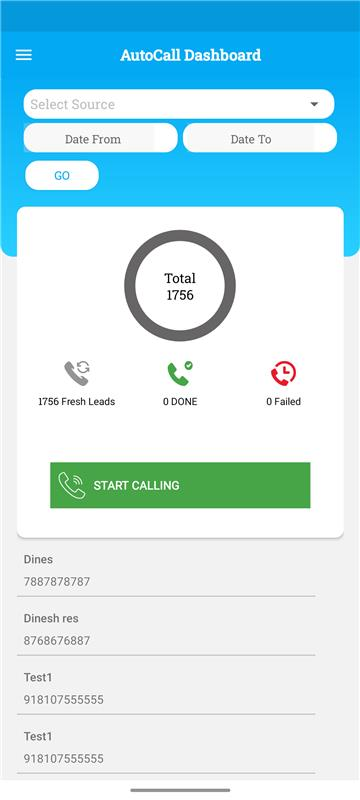
- Call-heavy teams need call outcomes inside the CRM, not only in phone logs.
- Missed calls, callbacks, recordings, and next follow-ups should be connected to the lead.
- Managers should measure both activity volume and conversation quality.
- A dialer is useful only when every call ends with a logged outcome and next action.
Why calls should connect with CRM
When a team handles many inbound and outbound calls, the CRM needs to know what happened on each call. Otherwise the lead status becomes guesswork.
- Inbound calls should create or update lead records.
- Outbound call attempts should be visible in the lead timeline.
- Missed calls should create callback tasks.
- Managers should see unanswered, connected, qualified, and closed outcomes.
A practical IVR and dialer workflow
The workflow should reduce manual entry while still keeping the sales process accountable.
- Route inbound calls through IVR based on department, campaign, city, or team.
- Create a lead or open the existing lead when a known number calls.
- Let sales users call from the CRM where lead context is already visible.
- Log call status and notes after each conversation.
- Set the next follow-up before closing the call activity.
What to capture after every call
The fastest way to improve call performance is to standardize what users record after each call. This does not mean long forms. It means a few consistent fields that make outcomes measurable and follow-up predictable.
- Call outcome: connected, not reachable, busy, wrong number, not interested, follow-up required.
- Short note: the key context from the conversation, not a long story.
- Next follow-up date/time: when the team should call again.
- Stage/status update: where the lead now sits in the pipeline.
- If required: recording link and disposition reason for audit.
Reports that matter
Dialer reports are useful only when they connect to sales outcomes.
- Call attempts, connected calls, missed calls, and callback completion.
- First call response time for ad and website leads.
- Qualified leads and sales stages after calls.
- Users with high activity but low qualification rate.
- Leads with repeated calls but no next action.
How VSCRM helps calling teams
VSCRM can support teams that need structured lead follow-up with calls, WhatsApp, reminders, and reporting in one workflow.
- Lead timelines that keep call, message, note, and task history together.
- Follow-up reminders so missed or pending calls do not disappear.
- Manager visibility into team activity and lead progress.
- Landing pages and campaign tracking that connect ad enquiries to sales follow-up.
Want to see this workflow inside VSCRM?
Share your current lead sources and follow-up process. The VSCRM team can show how the CRM can be configured around your actual sales workflow.
FAQ
Why connect IVR with CRM?
IVR connected with CRM helps route calls, create or update leads, and make call outcomes visible to managers.
Is call volume enough to judge sales performance?
No. Call volume should be reviewed with connected calls, qualified leads, follow-up completion, and sales outcomes.
Can missed calls become CRM tasks?
That is the ideal workflow. Missed calls should be visible and assigned so the team can call back quickly.
Should we store call recordings inside CRM?
If your process requires recordings, store a link or reference inside the lead activity so supervisors can audit quality and compliance. The key is to keep recordings tied to the same lead and outcome, not in a separate dashboard only.
What is a good dialer KPI for managers?
Track first response time, connected percentage, qualification rate after calls, and follow-up completion. These show whether activity is producing progress, not just call volume.